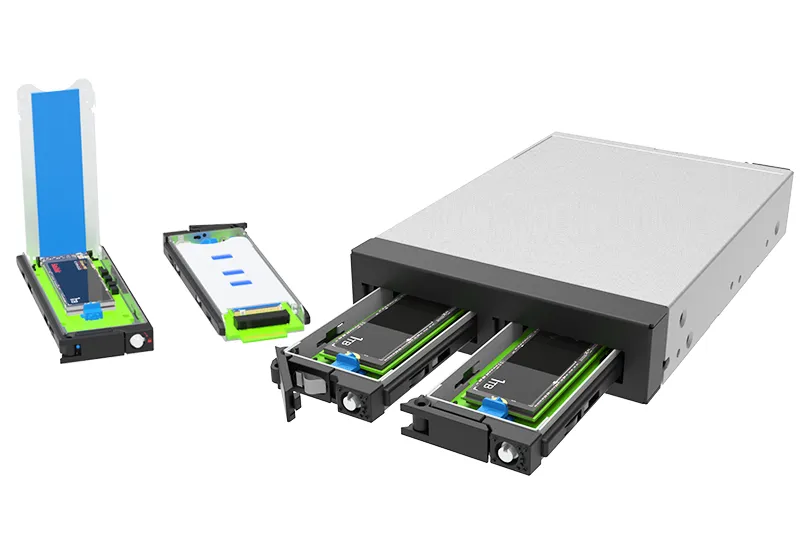
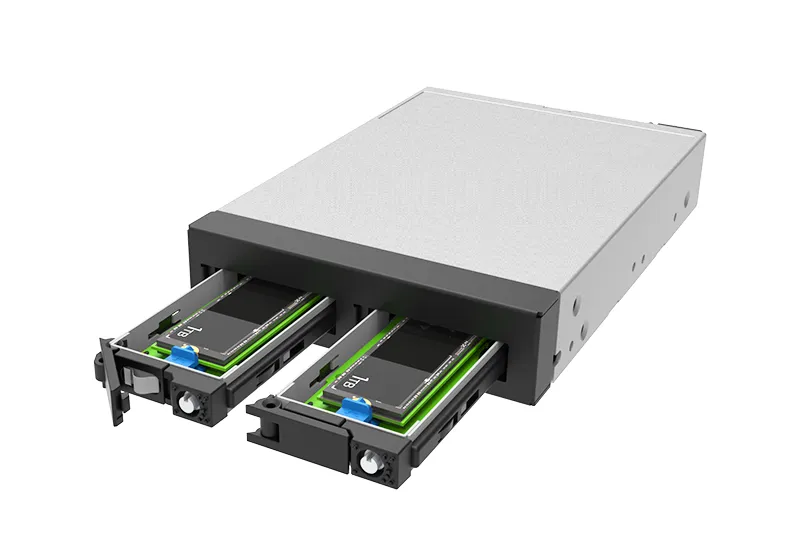
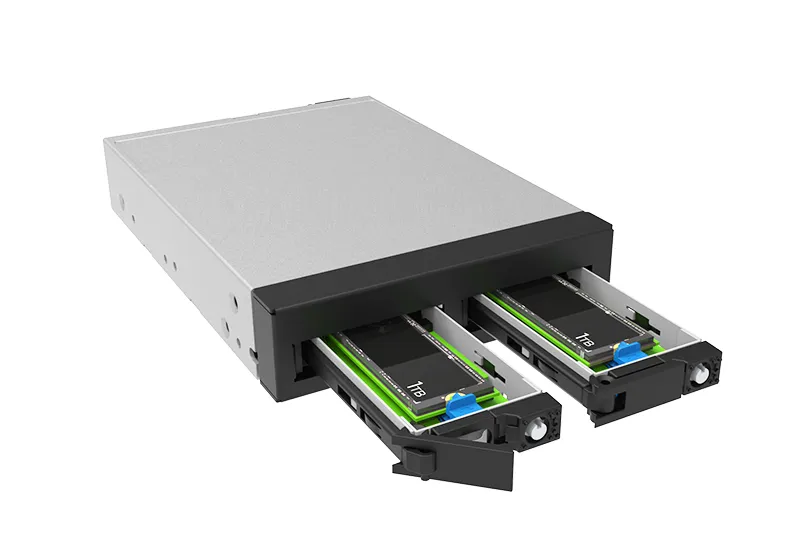
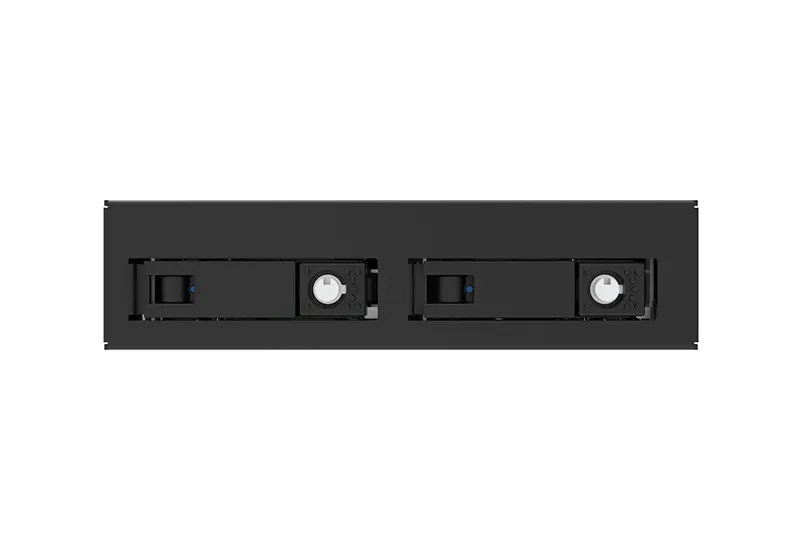
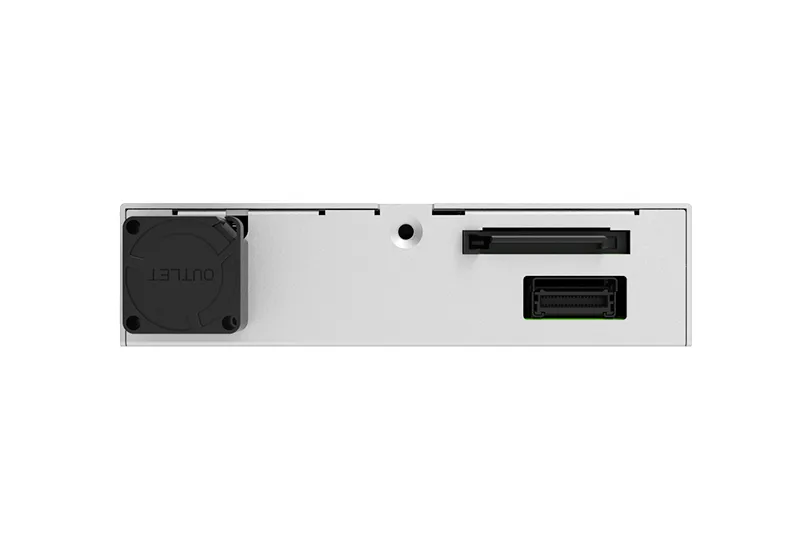
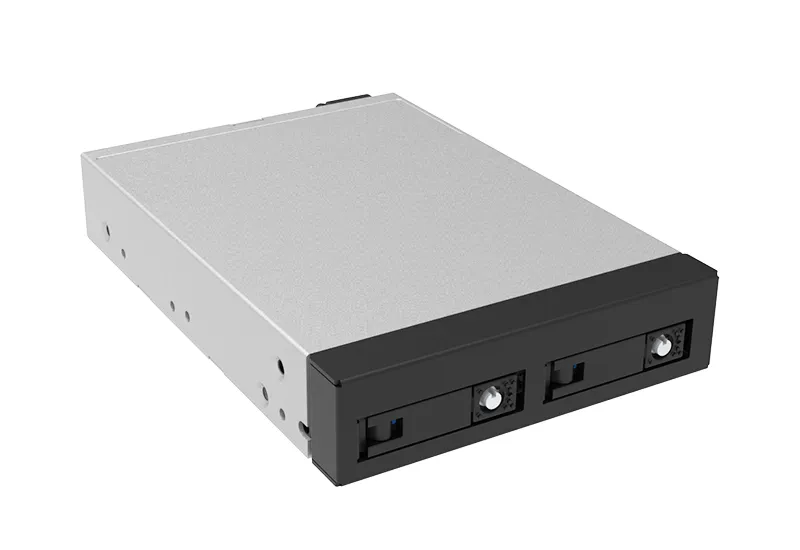
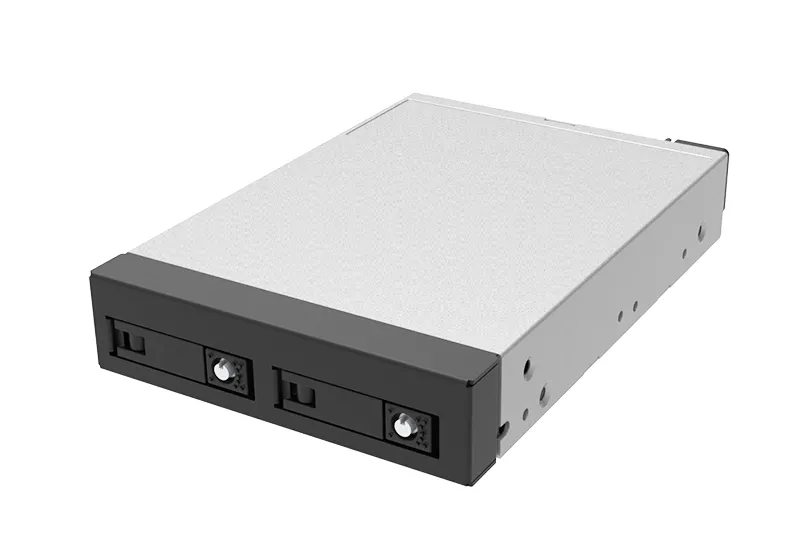
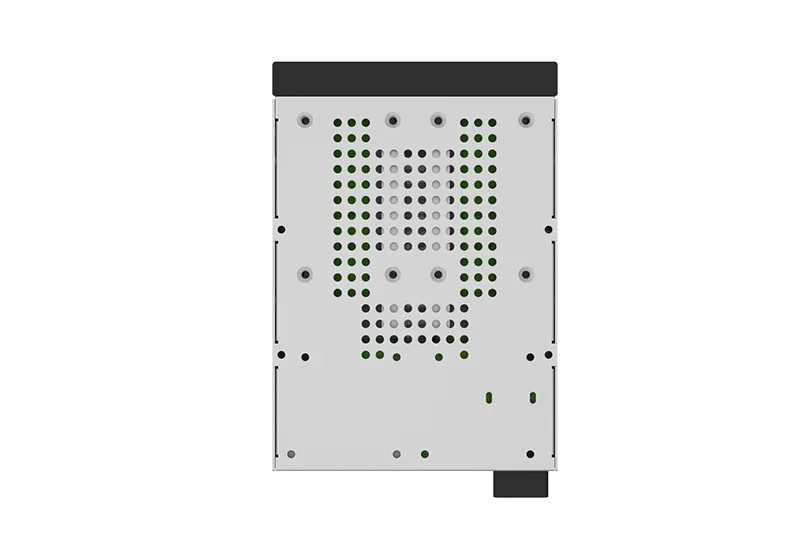
iUM2776P+: Dual M.2 NVMe SSD Module


(3.5-inch Drive Form Factor)


Overview


High-Performance Storage, Enterprise-Grade Reliability


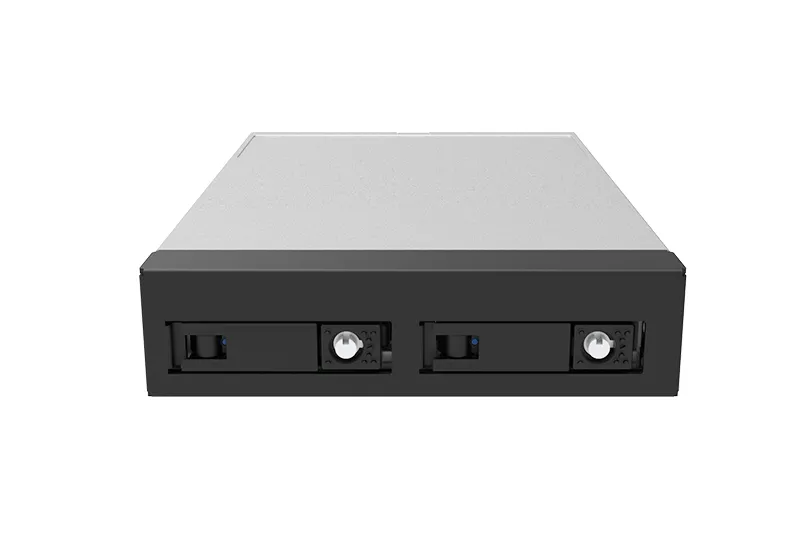
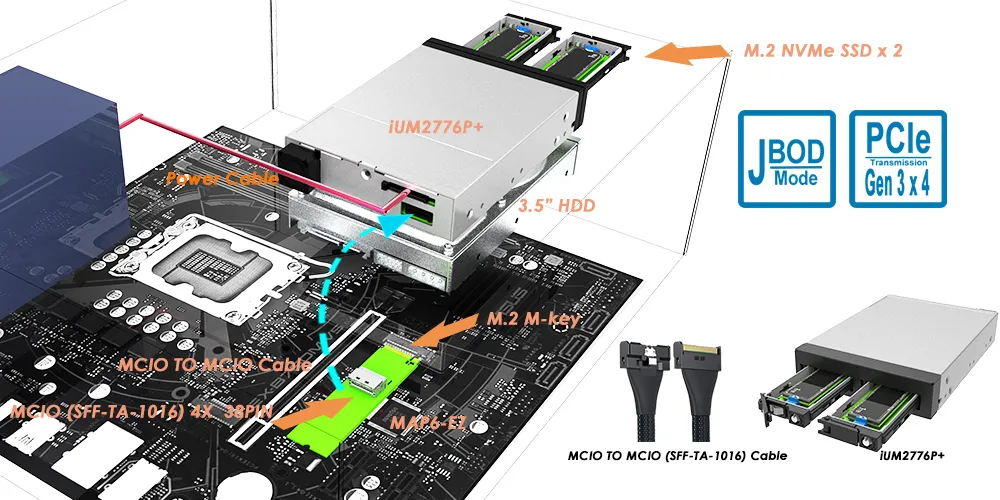
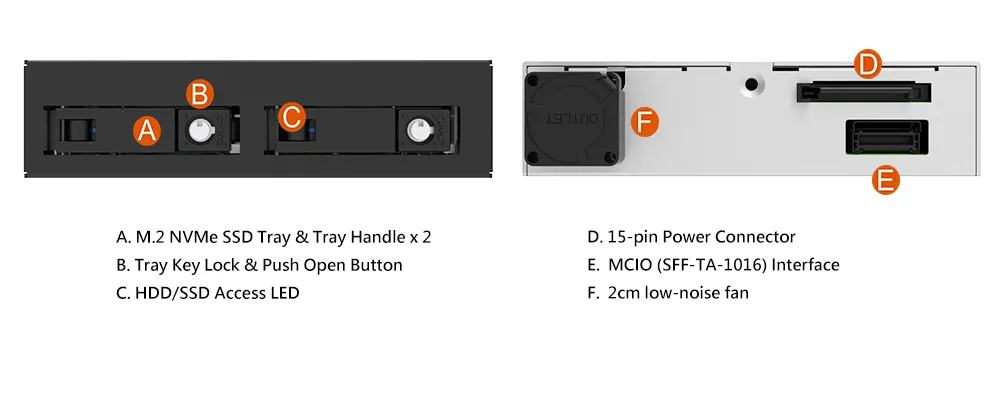
The iUM2776P+ is a professional-grade 3.5-inch storage module designed to house two M.2 NVMe SSDs. Using an integrated PCIe Gen3 Switch and an MCIO (SFF-TA-1016) interface, this module supports PCIe Gen3 x4 (up to ~32 Gbps aggregate / ~3.94 GB/s theoretical payload, per direction) and allocates Gen3 x2 per SSD (up to ~16 Gbps / ~1.97 GB/s theoretical per SSD). Its rugged, all-metal construction and tool-free maintenance make it the ideal choice for high-density computing environments that demand speed, scalability, and zero downtime.


Key Features


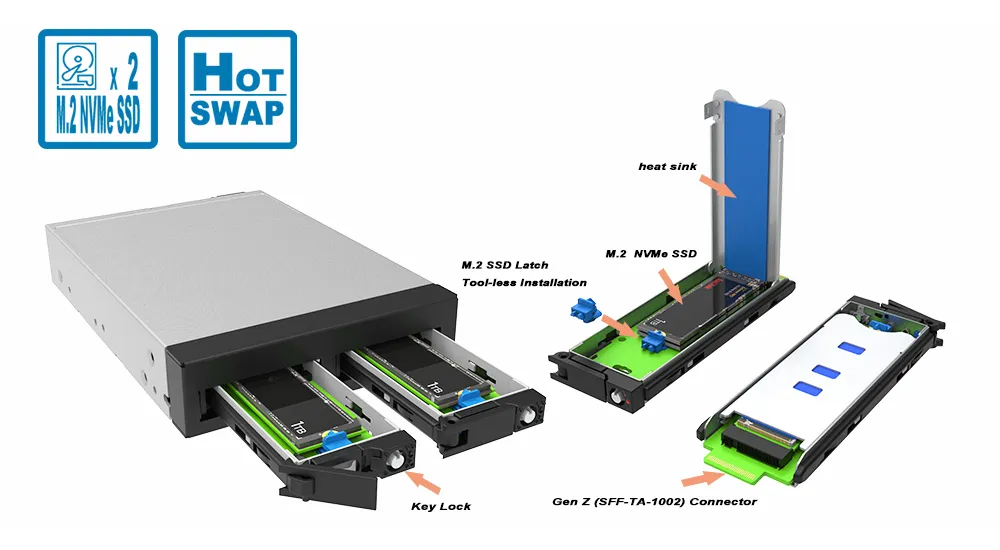
 Tool-less Tray Design: Effortless, screwless SSD installation and removal.


 Hot-Swap Functionality: Hot-swap capable hardware; hot-swap behavior depends on host platform PCIe/NVMe hot-plug support.


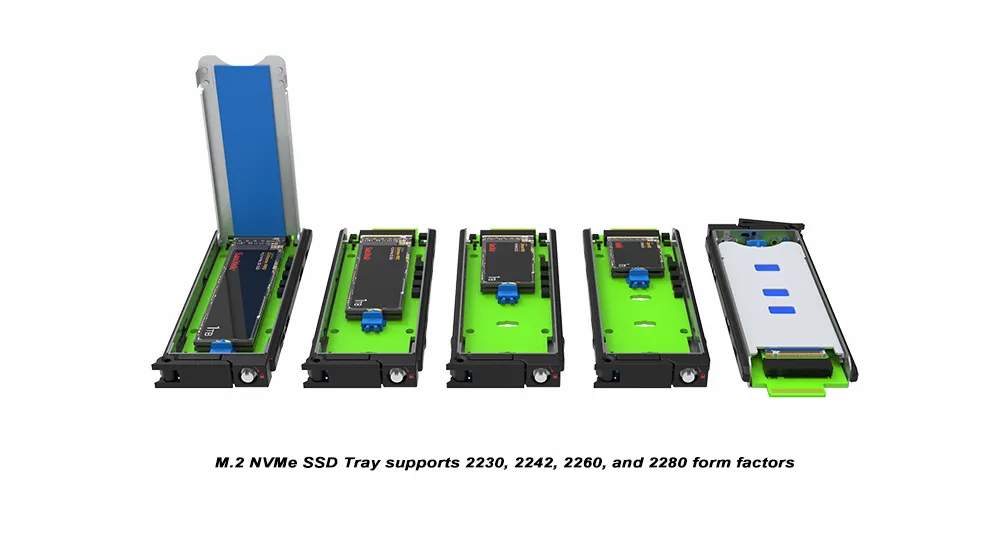
 Dual M.2 NVMe Support: Compatible with 2230, 2242, 2260, and 2280 form factors.

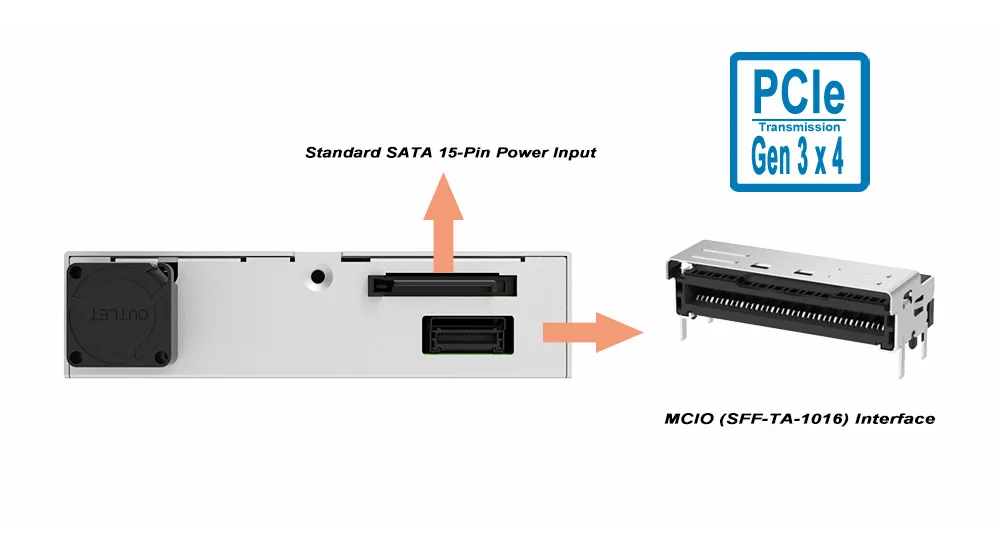
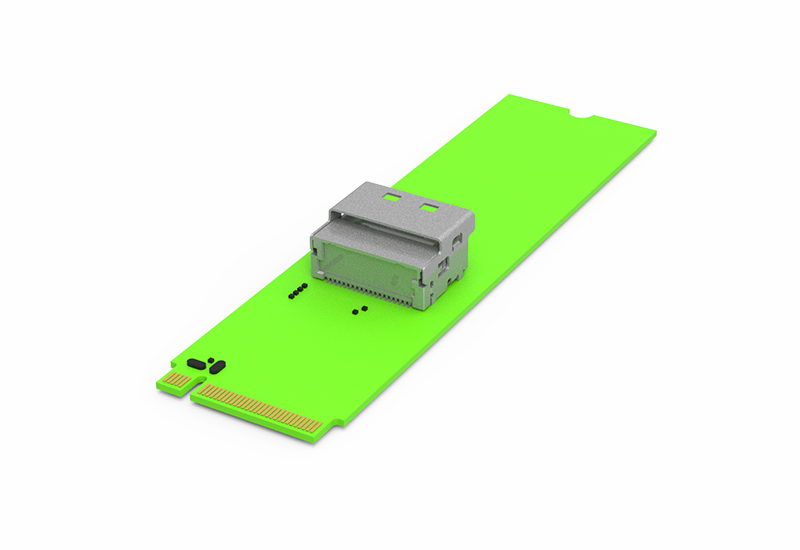
 MCIO (SFF-TA-1016) Host Interface: Future-proof MCIO (SFF-TA-1016) connector for seamless modern platform integration.


 Host/Backplane Requirement (Electrical): PCIe Gen3 x4 via MCIO; not compatible with SATA/SAS-only bays for data.


 Universal Power: Uses a standard SATA 15-pin power input for easy deployment in any chassis.


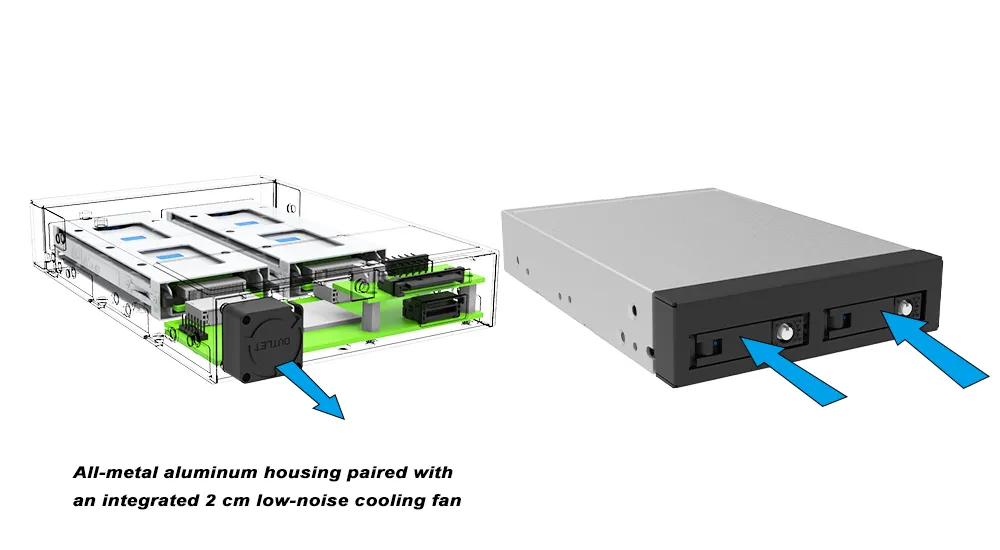
 Advanced Thermal Management: All-metal aluminum housing paired with an integrated 2 cm low-noise cooling fan.

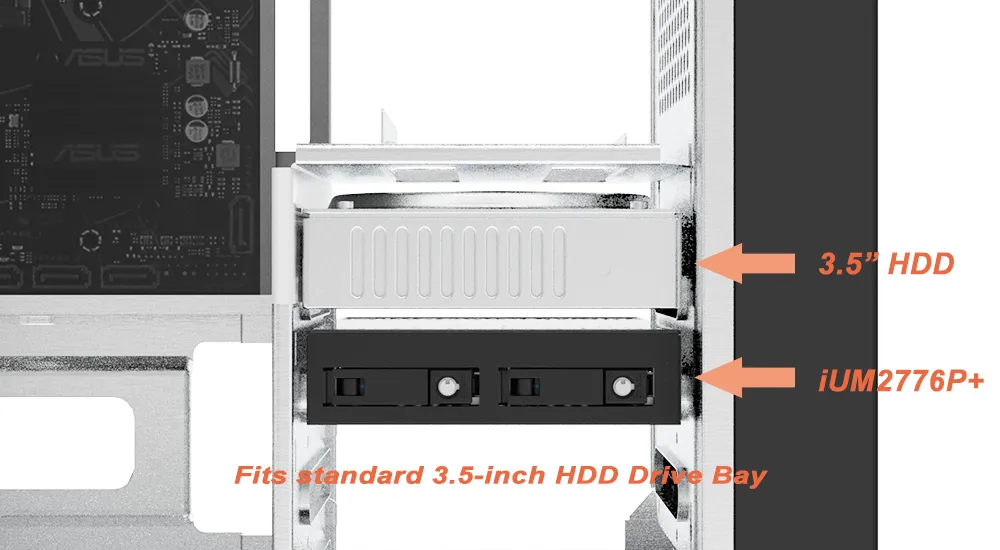
 Bay Compatibility (Mechanical): Fits standard 3.5-inch HDD Drive Bay


 Comparison: Standard Drive vs. iUM2776P+


Feature

Standard 3.5" HDD/SSD

iUM2776P+ Module

Drive Capacity

1 Drive

2x M.2 NVMe SSDs

Interface

SATA 6Gb/s

MCIO (SFF-TA-1016)

Max Speed

Up to 6 Gbps

PCIe Gen3 x4 link (aggregate)

Maintenance

Manual Screws

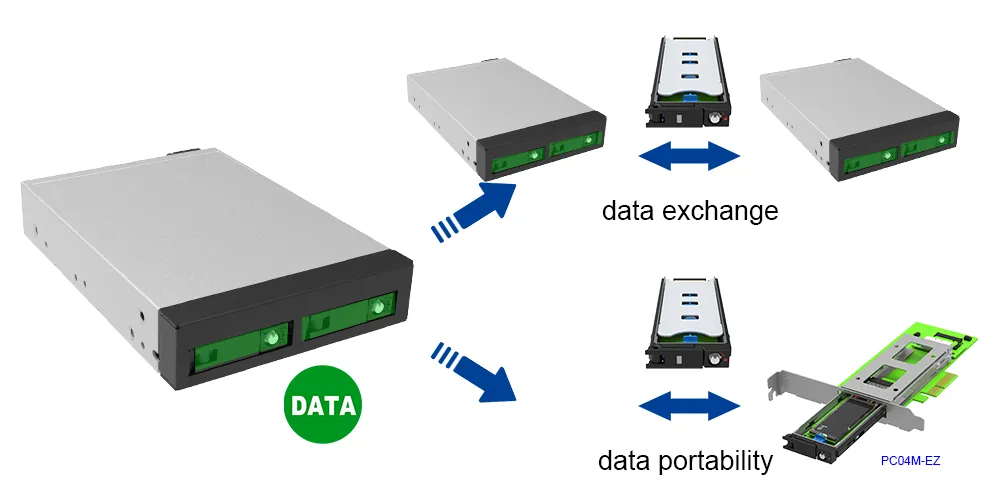
Tool-free / Hot-swap

Cooling

Passive

Passive Metal + Active 2cm Fan

Benefits


● Maximize Storage Density:


Pack the power of two high-speed NVMe SSDs into a single standard 3.5-inch bay. This allows you to double your drive count without upgrading to a larger chassis or server rack.


● Zero-Downtime Maintenance:


In platforms that support PCIe/NVMe hot-plug, drives can be serviced without shutting down; otherwise, a rescan/reboot may be required per system design.


● Future-Proof Connectivity:


By utilizing the MCIO (SFF-TA-1016) interface, you are aligning your hardware with the latest enterprise cabling standards, ensuring compatibility with next-generation motherboards and high-speed backplanes.


● Sustained Peak Performance:


NVMe SSDs are notorious for "thermal throttling" (slowing down when they get too hot). The combination of a precision-machined aluminum heat sink and an active 2 cm cooling fan ensures your drives stay cool even during 24/7 heavy workloads.


● Simplified Integration:


Despite its advanced internals, it uses a standard SATA 15-pin power connector. This "plug-and-play" approach means you can upgrade existing legacy systems to modern NVMe speeds without needing specialized power adapters.


● Enhanced Reliability:


The durable all-metal housing protects sensitive M.2 modules from physical damage and electromagnetic interference, making it suitable for harsh industrial or edge computing environments.


Ideal Applications


● Edge Computing & IoT:


Provides high-speed data caching and storage in compact, rugged environments where space is limited but performance is non-negotiable.


● Enterprise Data Centers:


Ideal for high-density server deployments requiring hot-swappable NVMe storage for rapid maintenance and upgrades.


● Professional Workstations:


Enhances video editing, 3D rendering, and CAD workflows by providing fast scratch disk space or redundant storage within a standard 3.5-inch bay.


● Industrial & Embedded Systems:


Rugged construction and effective thermal management make it suitable for industrial control, automation, and IoT platforms.


● AI & Machine Learning:


Supports the high-speed data throughput required for training models and processing large datasets.


System Integration Guidelines


1. System Power and Detection


• The iUM2776P+ connects directly to the motherboard via the PCIe interface. Since most motherboards do not natively support PCIe hot-swapping, the module must be powered on during system startup to be properly detected.


• If the iUM2776P+ is not powered on during system startup, the operating system may fail to recognize the module.


2. Hot-Swap Functionality


• The system can boot normally even if no SSD is installed in the iUM2776P+.


• M.2 NVMe can be inserted/removed while running. Recognition behavior depends on platform hot-plug support; a rescan or reboot may be required per system design.


Frequently Asked Questions (FAQ)


Q1: Does the iUM2776P+ support PCIe Gen4 or Gen5 SSDs?


A: The iUM2776P+ is designed with a PCIe Gen3 x4 switch. PCIe Gen4 or Gen5 NVMe SSDs can be installed, but will operate at PCIe Gen3 speeds to ensure compatibility and stability.


Q2: Does the iUM2776P+ support RAID?


A: Yes. The module features a PCIe switch that allows the host to see two individual NVMe SSDs. RAID functionality (such as RAID 0 or RAID 1) can be implemented via the operating system (Software RAID) or a compatible BIOS/UEFI setting on your motherboard.


Q3: What M.2 SSD sizes does the iUM2776P+ support?


A: The iUM2776P+ supports M.2 NVMe SSDs in 2230, 2242, 2260, and 2280 form factors.


Q4: Does it require a special driver?


A: No. As a hardware-level PCIe switch, it is transparent to the operating system. If your system supports NVMe and has an MCIO (SFF-TA-1016) port, the iUM2776P+ will work out of the box.


Q5: Will this fit in a standard 3.5-inch HDD bay?


A: Yes—mechanically it matches a 3.5-inch drive footprint. Electrically, it requires PCIe lanes via MCIO (SFF-TA-1016) and will not work if the bay/backplane only provides SATA/SAS connectivity.


Q6: What type of host connection is required for the iUM2776P+?


A: The iUM2776P+ uses an MCIO (SFF-TA-1016) connector and requires a compatible PCIe host interface or adapter cable that supports PCIe Gen3 x4 signaling.


Q7: What power connection does the iUM2776P+ require?


A: The iUM2776P+ uses a standard SATA 15-pin power connector, making integration into existing systems easy.


Q8: Can the 2cm cooling fan be disabled?


A: The built in 2cm cooling fan is designed to operate automatically to ensure thermal stability. Disabling the fan is not recommended, as it may impact SSD reliability and performance.


Q9: What are the typical use cases for the iUM2776P+?


A: The iUM2776P+ is designed to work with HOST BUS controller and is ideal for workstations, edge computing systems, data centers, industrial platforms, and media production environments that require compact, high-speed, and easily serviceable storage.


Q10: Will it work in a SATA/SAS backplane?


A: No; it needs PCIe lanes via MCIO (SFF-TA-1016) or adapter.


Performance test result for reference. The test result will vary depend on the test environment.


Product View

Specification


Specification Description 
Model No. iUM2776P+
Drive Support 2 x M.2 NVMe SSDs (2230 / 2242 / 2260 / 2280)
Host Interface PCIe Gen3 x4 via MCIO (SFF-TA-1016) 
Power Connector 1 x SATA 15-Pin
Max Bandwidth PCIe Gen3x4, up to 3.94 GB/s
Bay Compatibility Standard 3.5-inch drive footprint
Drive Mode JBOD (each SSD recognized as an independent drive) 
Installation Tool-free SSD tray design, plug and play
 
Cooling System 2cm low-noise fan + metal enclosure
Security Lockable M.2 Tray to prevent accidental removal
LED Indicators LED indicators for power and drive status
Dimensions 101.6(W) × 25.6(H) × 146(L) mm
Compatibility Compatible with Windows, Linux and modern O.S.
Packing Content iUM2776P+ Device × 1
Accessory Kit x 1
Quick Installation Guide x1


Related Products


MAP6-EZ

PC04M-EZ


iUM2776P+ Download

Product
Datasheet
QM
UM
CE & FCC
Photo
other
iUM2776P+

iUM2776P+ Question & Answer

  • Q1 Will it work in a SATA/SAS backplane?
  • Q2What are the typical use cases for the iUM2776P+?
  • Q3Can the 2cm cooling fan be disabled?
  • Q4What power connection does the iUM2776P+ require?
  • Q5What type of host connection is required for the iUM2776P+?
  • Q6Will this fit in a standard 3.5-inch HDD bay?
  • Q7Does it require a special driver?
  • Q8What M.2 SSD sizes does the iUM2776P+ support?
  • Q9Does the iUM2776P+ support RAID?
  • Q10Does the iUM2776P+ support PCIe Gen4 or Gen5 SSDs?
 

RaidonTek.com (raidon.com.tw) uses cookies to improve site functionality and your overall experience by storing necessary information for service delivery. By continuing, you consent to our use of cookies as detailed in our Privacy Policy, which provides more information about this usage. (Accept cookies to continue browsing the website)